![Logo landing page 232x64 with border.png]](https://support.safetica.com/hs-fs/hubfs/Marketing/Safetica_logo_/Logo%20landing%20page%20232x64%20with%20border.png?width=145&height=40&name=Logo%20landing%20page%20232x64%20with%20border.png)
In Safetica console, you can export into a .xlsx file the records from:
- all DASHBOARDS tables (Data, Apps, Websites, External devices, Data discovery)
- all BEHAVIOR tables (Behavior analysis, App usage, Website visits, Email traffic)
- the MANAGEMENT table Devices
How exporting works
- Only displayed table columns are exported (their order is taken into account).
- Selected filters and column sorting are reflected in the export.
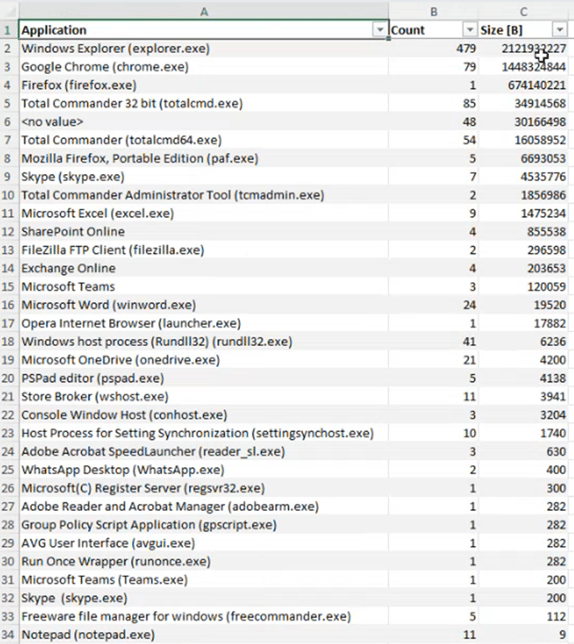
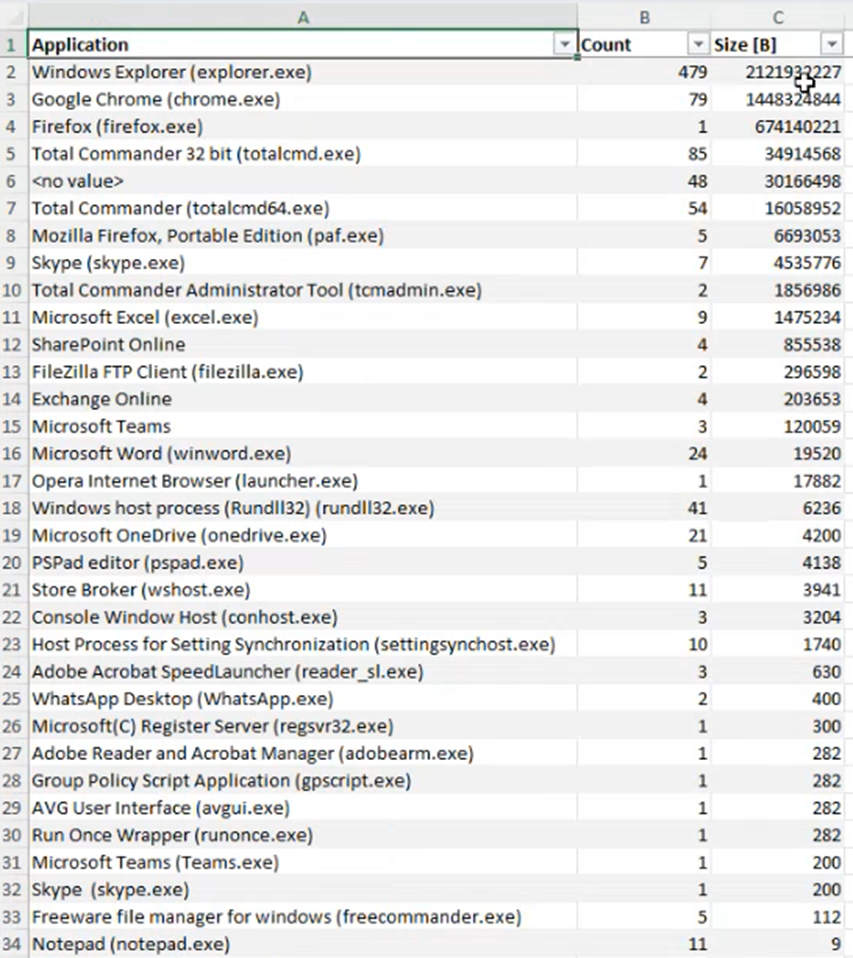
- Grouping is reflected in the export. Grouped exports summarize data (e.g., by application) and show the number of records and total transferred file size. Example of a grouped .xlsx export:
Depending on the amount of exported data, creating the export may take several minutes. Meanwhile, you can keep working in the console, but please remain signed in. If you sign out, the export creation will be canceled.
Limitations
Excel (.xlsx) export size limit
- Maximum number of rows: This limit is set by Microsoft Excel (.xlsx) itself. An .xlsx export can include up to 1,048,000 rows. If your selected time range and filters contain more than 1,048,000 records, only the first 1,048,000 will be included. Any additional records will be left out.
What to do instead
- Export smaller time ranges (for example, week by week).
- Use filters to export only the records you need.
- If you need a large volume of raw data for an audit, export in smaller batches and combine the files outside Safetica, or contact Safetica Support to discuss options that meet your audit requirements.
How to export records from Safetica console into an .xlsx file
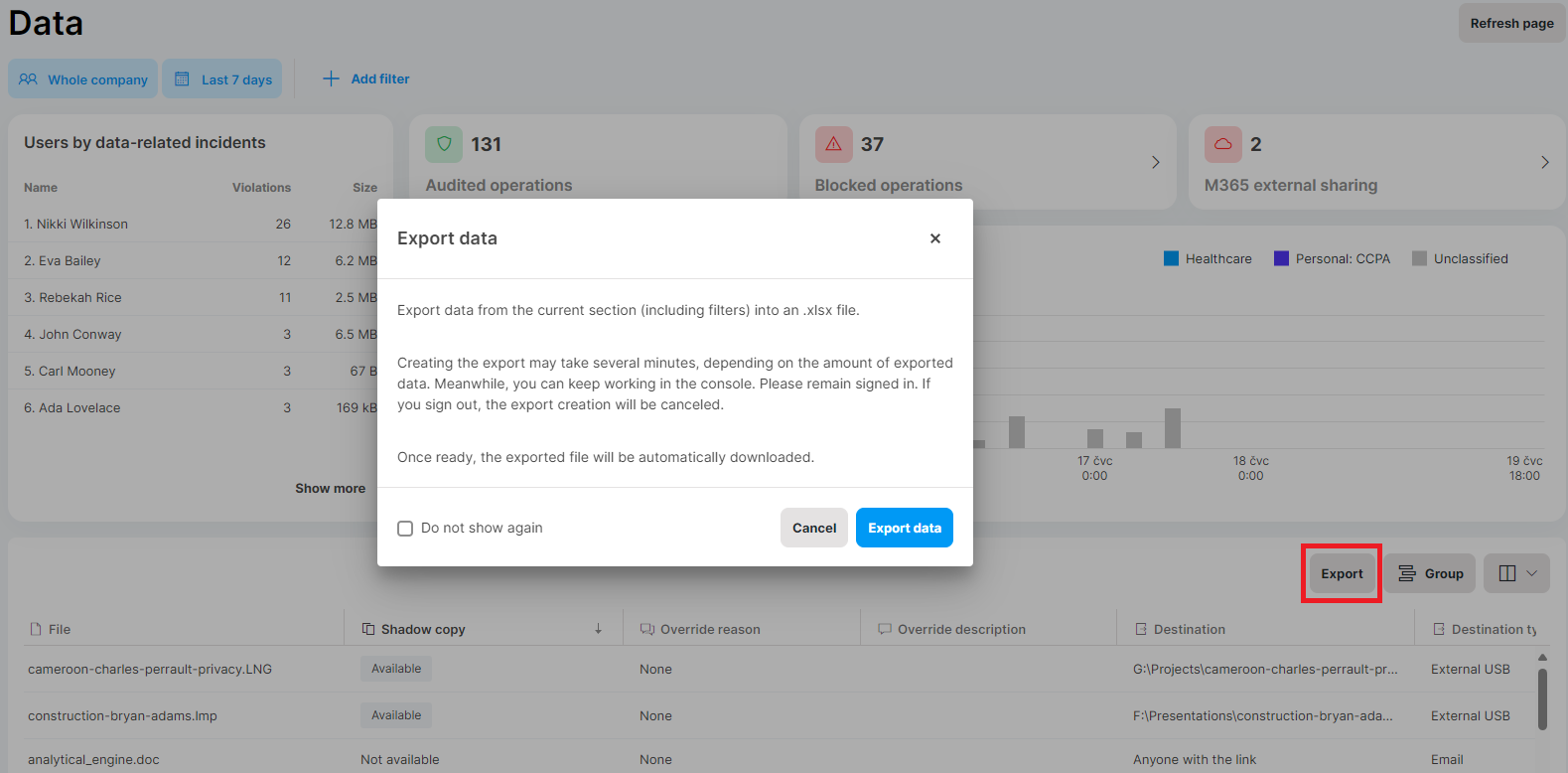
- Go to the respective section in Safetica console.
- Click Export, and in the dialog window, confirm by clicking Export data.
- The export creation will start.
- Once ready, the exported file will be automatically downloaded.
The Do not show again option applies only to the specific admin instance. If the admin signs out and then signs in again, they will see the Export data dialog again.