![Logo landing page 232x64 with border.png]](https://support.safetica.com/hs-fs/hubfs/Marketing/Safetica_logo_/Logo%20landing%20page%20232x64%20with%20border.png?width=145&height=40&name=Logo%20landing%20page%20232x64%20with%20border.png)
Applies to: Safetica On-Prem
When access to a web page is blocked by a policy, you can redirect the user to your custom web page to explain the reasons and increase security awareness:
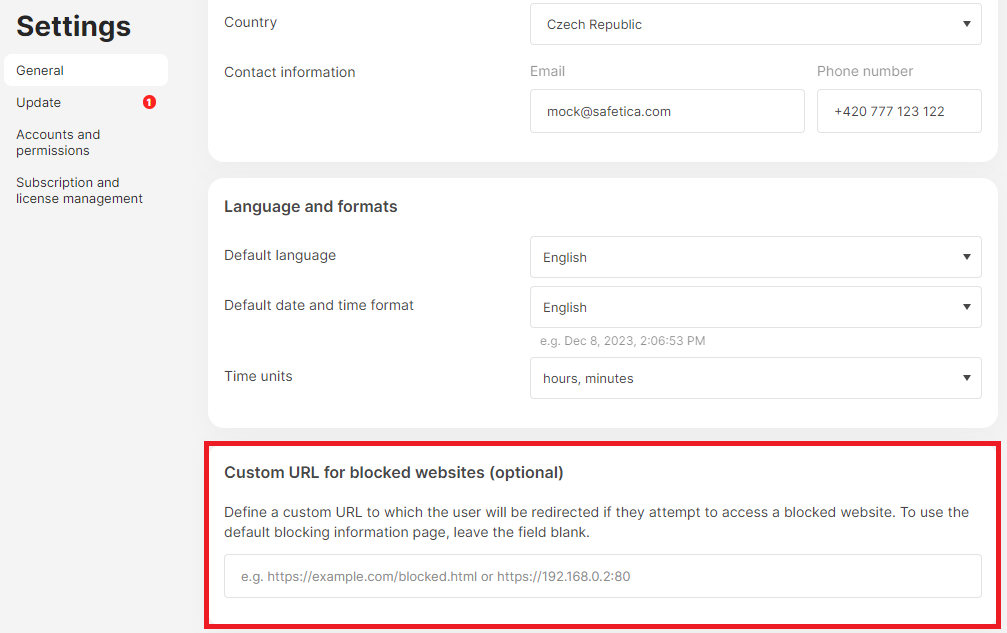
- Open Safetica console and go to Settings > General.
- Enter the URL address of your custom website into the Custom URL for blocked websites (optional) section.
- Click Save.