![Logo landing page 232x64 with border.png]](https://support.safetica.com/hs-fs/hubfs/Marketing/Safetica_logo_/Logo%20landing%20page%20232x64%20with%20border.png?width=145&height=40&name=Logo%20landing%20page%20232x64%20with%20border.png)
Applies to: Safetica Platform
Looking for the Safetica On-Prem version? See: Safetica On-Prem: How to set up alerts and get notified about security incidents.
Introduction
Safetica Platform allows you to set up real-time email alerts based on Safetica Insights. When an Insight is created or its severity increases, Safetica sends an email to the relevant admin so they can review and respond quickly.
Alerts in action
Want to see Alerts in action? Watch the video below:
Alert permissions
-
Who can receive alerts? Only admins with the User data permission can receive email alerts. You can check or change this permission under Settings > Accounts and permissions.
-
What can each admin see? Alerts reflect the specific admin's permissions.
-
If the admin's account is restricted to certain teams (e.g., the Development team), they will only receive alerts related to those teams.
- If the admin's account is restricted to certain sections of the console (e.g., Behavior > Website visits), then if they receive an alert related to that section, they will not be able to view the alert details when they click the link.
-
How to set up email alerts for Safetica Insights
✍️Alerts are set up for the signed-in admin account.
Each admin sets up their own alert preferences individually. Your settings do not apply to other admin accounts.
You can choose which insights will trigger alerts based on their severity.
Follow these steps to start receiving alert emails:
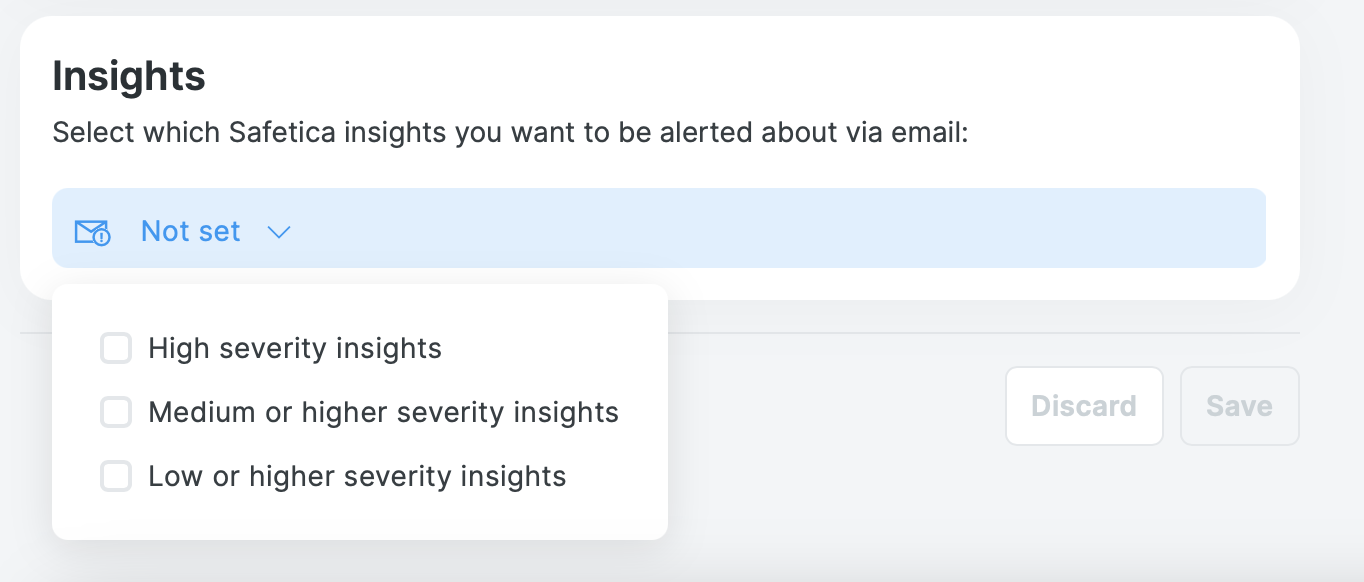
- In Safetica console, go to Settings > Your preferences.
- In the Alerts section, select the minimum Severity that should trigger an alert (High severity insight, Medium or higher severity insight, or Low or higher severity insight).
- Click Save.
When are alerts sent
You will receive an email alert in two situations:
- A new insight is created that matches or exceeds your chosen severity.
- An existing insight’s severity increases to a level that matches your chosen severity (for example, from Low to Medium).
❗No alerts are sent for repeated events on an open insight
When an event occurs, Safetica checks whether an open insight already exists for the same user, destination type, etc. If it does, the new event is quietly added to that existing insight - and no new alert is sent.
This continues for as long as the insight stays open. Any recurring activity of the same kind will be grouped into it without triggering additional alerts.
To receive alerts again, close the existing insight. The next time the same activity occurs, Safetica will create a new insight and send a new alert.
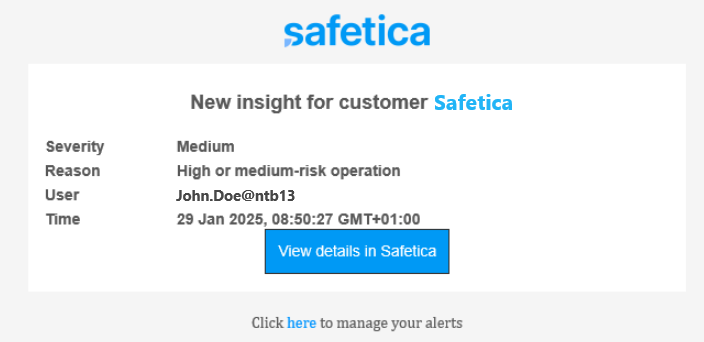
What the alerts look like
Each email alert includes a summary of the insight and a View details in Safetica button. Clicking that button opens the Safetica console directly to the relevant section with the right filters already applied.