![Logo landing page 232x64 with border.png]](https://support.safetica.com/hs-fs/hubfs/Marketing/Safetica_logo_/Logo%20landing%20page%20232x64%20with%20border.png?width=145&height=40&name=Logo%20landing%20page%20232x64%20with%20border.png)
Applies to: Safetica On-Prem
Looking for the Safetica Platform version? See: Safetica Platform: How to uninstall Safetica from your environment
Removing Safetica On-Prem from your environment is a two-step process:
-
Uninstall the Safetica Clients from your devices
Step 1: Uninstall the Safetica server and Safetica console
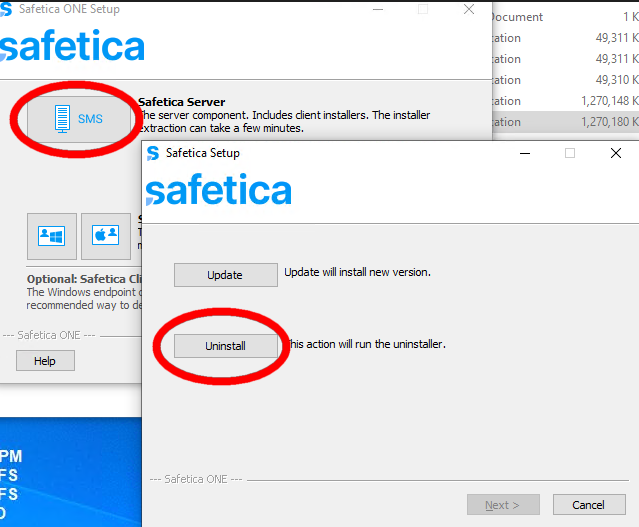
To completely uninstall Safetica server and Safetica console:- Open the latest version of Safetica installer.
- Choose Manual installation, then select Safetica Server.
- Click Uninstall.
Step 2: Uninstall Safetica Clients from your devices
Find detailed info on uninstalling Safetica Clients from your devices here.