Information in this article applies to Safetica ONE 10 or older.
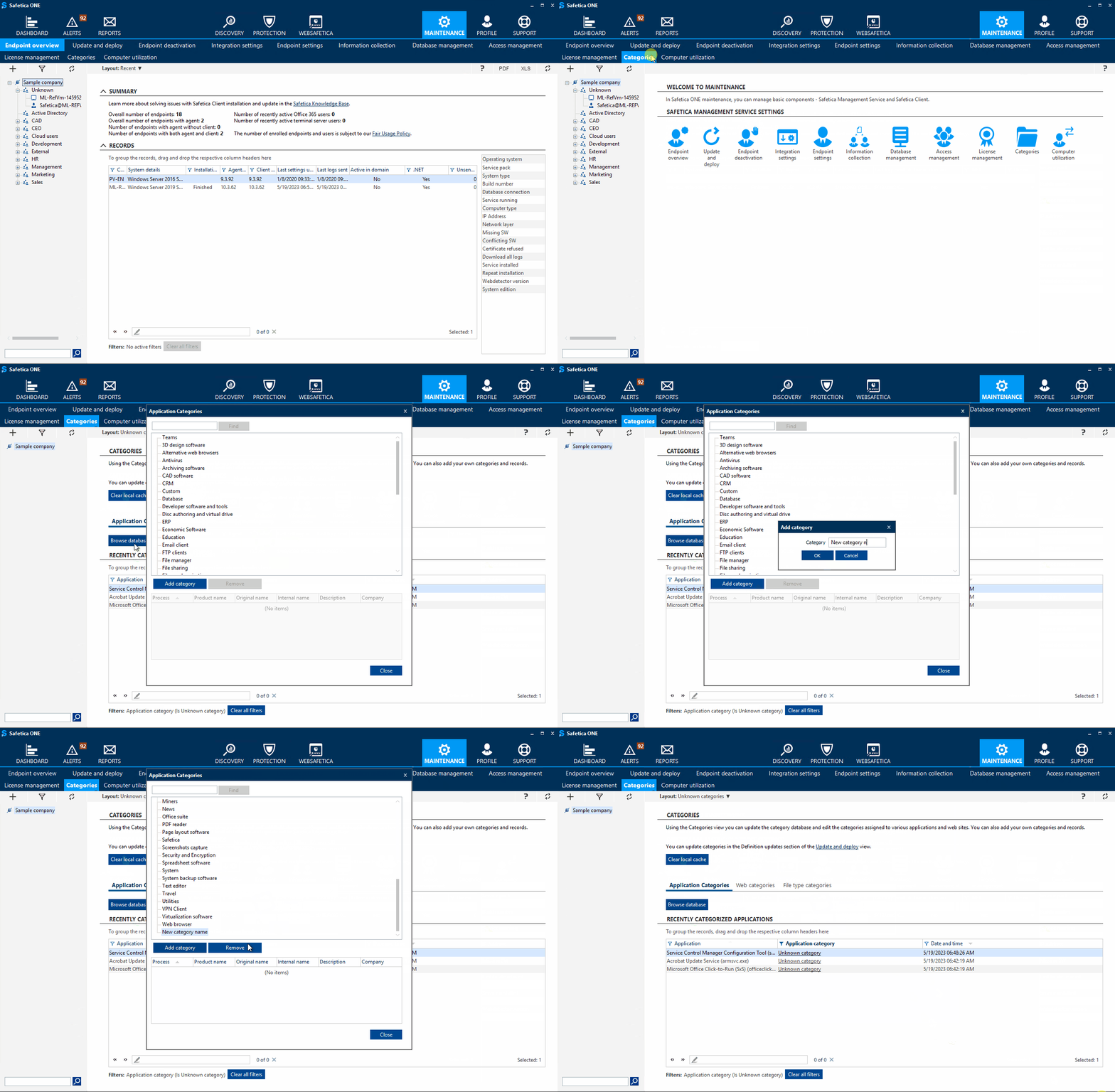
- Open Safetica Management Console.
- Go to Maintenance > Categories > Application Categories, Web Categories or File type categories.
- Click Browse database.
- Click Add category, fill in the Category name and click OK.