![Logo landing page 232x64 with border.png]](https://support.safetica.com/hs-fs/hubfs/Marketing/Safetica_logo_/Logo%20landing%20page%20232x64%20with%20border.png?width=145&height=40&name=Logo%20landing%20page%20232x64%20with%20border.png)
Applies to: Standard | Premium | Enterprise | On-Prem
Product differences:
- Setting up a custom URL for blocked websites is not available in Safetica Platform.
- SSL certificate validation is not available in Safetica Platform.
- Enabling older TLS versions is not available in Safetica Platform.
The General section in action
Want to see the General section in action? Watch the video below:
The General section
✨Safetica Platform: Go to Settings > Safetica settings > General.
💻Safetica On-Prem: Go to Settings > General.
In the General section, you will find:
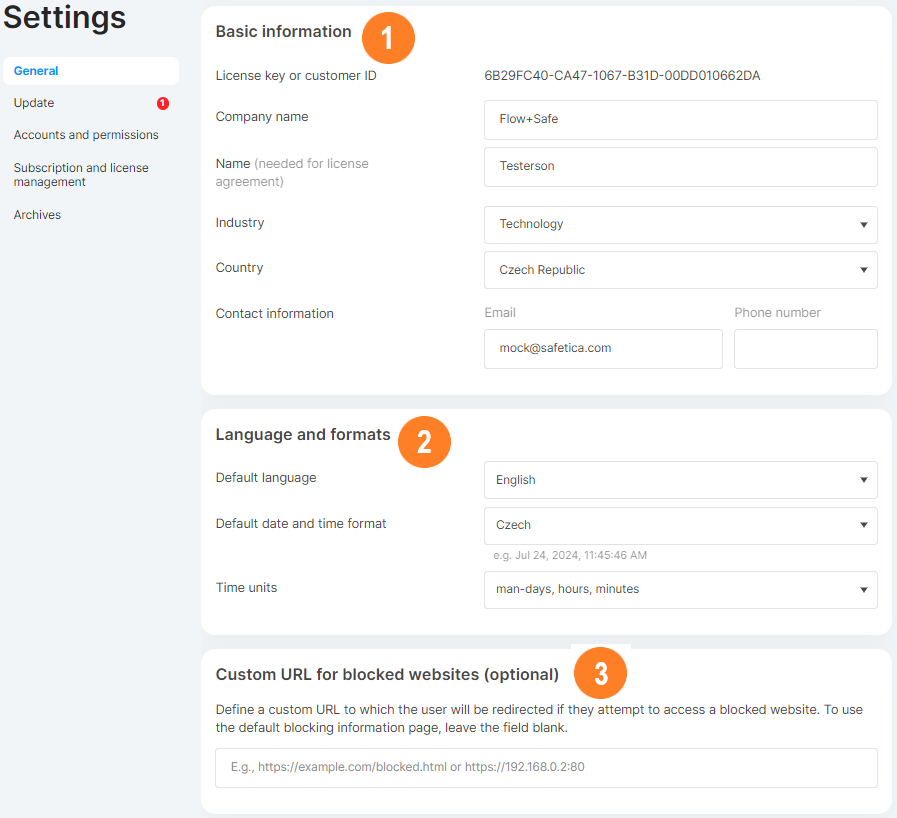
-
Basic information:
- ✨Safetica Platform: Here you will find your customer ID and the data center region where your Safetica's data centers are located and your data is processed.
-
💻Safetica On-Prem: Basic customer information, such as your customer ID (or license key), company name, the name of the admin, or contact info.
-
Language and formats: Global settings that apply to the whole Safetica console, such as the language, date and time format, and time units (one man-day (MD) is equivalent to 8 hours; one man-week (MW) is equivalent to 40 hours).
-
💻Safetica On-Prem only: Custom URL for blocked websites: Here you can enter your custom URL that will be displayed to users when they try to visit a web page blocked by policies.
-
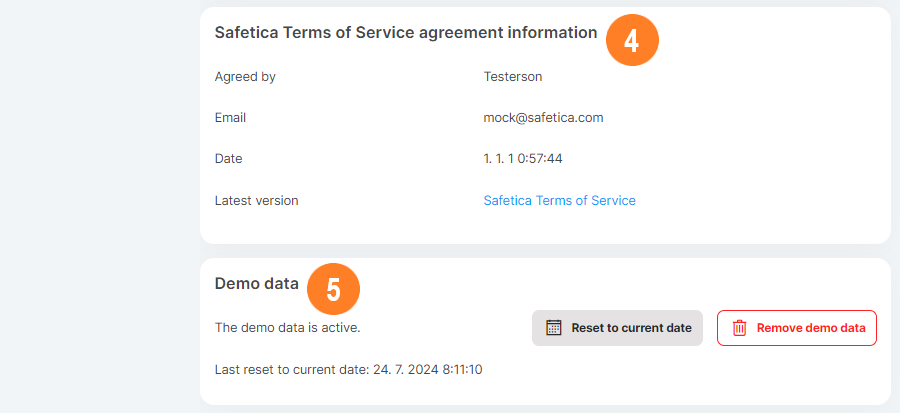
Safetica Terms of Service agreement information: See which admin confirmed the Safetica Terms of Service in Safetica console and when. You will also find a link to the lates version of Safetica Terms of Service here.
-
Demo data: After installation, Safetica console is populated with demo users, demo data, demo classifications, and demo policies to demonstrate its features. Here you can:
-
Reset to current date: Updates your demo data to the current date, so that you do not have to use an extended filter for more than the default 7 days.
-
Remove demo data: Removes all demo data and starts populating real data from your environment.
-
❗Demo data removal is irreversible.
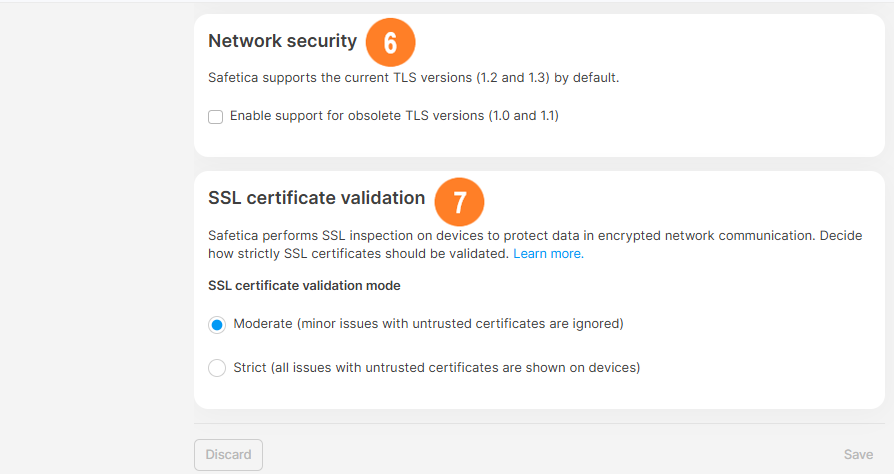
6. 💻Safetica On-Prem only: Network security: If needed, you can choose to enable older TLS versions (1.0 and 1.1). Learn more here.
7. 💻Safetica On-Prem only: SSL certificate validation: You can choose how strictly Safetica approaches SSL certificates. Learn more here.